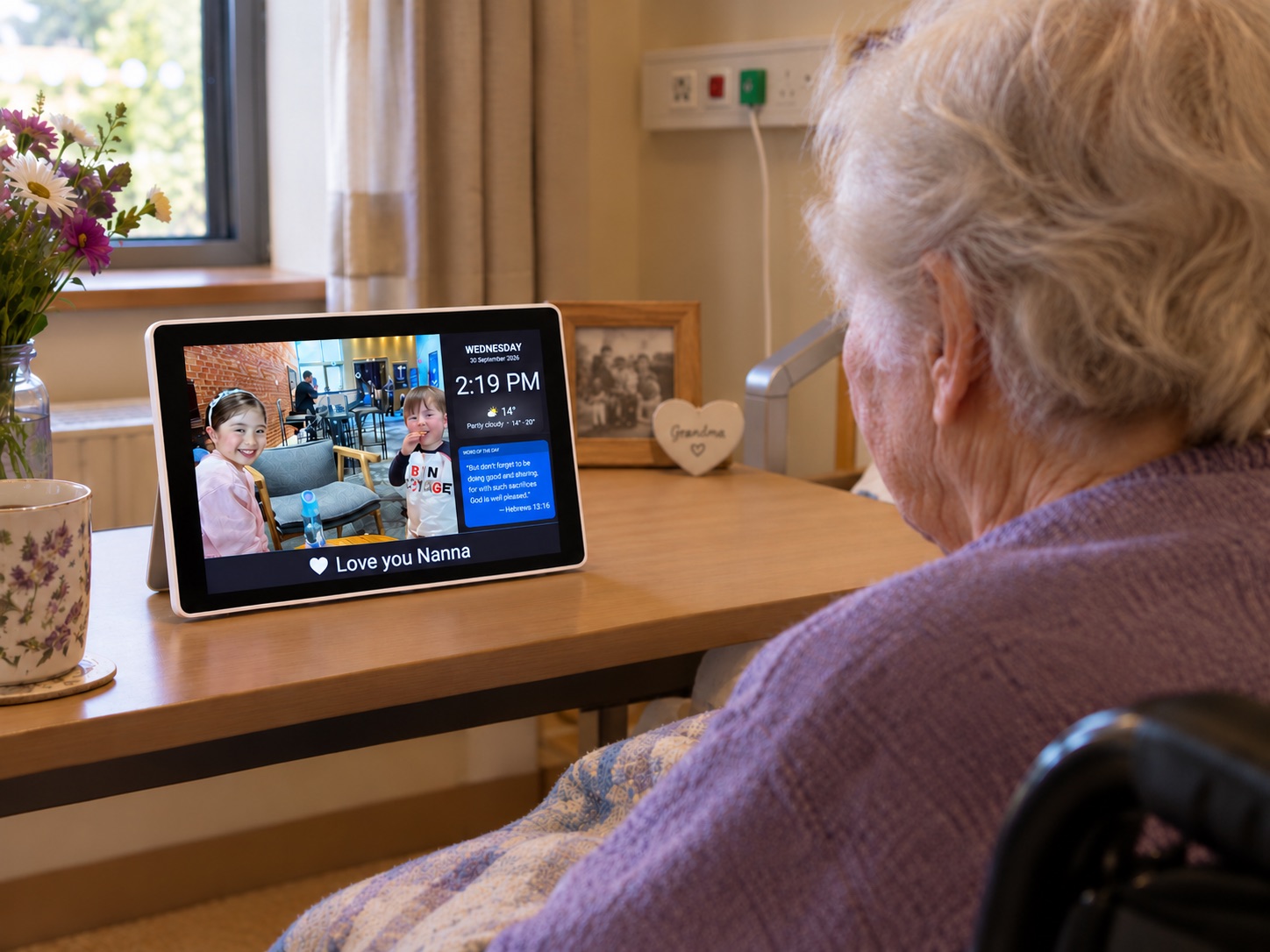
Stay close to Nan and Pop.From anywhere.
Send photos, messages and reminders straight to their frame. They don’t have to do a thing.
Christmas special: $220 (usually $299) with free shipping, when you order by Monday 14 December.
Nan’s frame
● On

What it does
Send a photo instantly
You and the family can send photos from your phones. They go in with the rest.


A phone showing four photos. One is chosen, and it appears on Nan’s frame with the caption “Milly’s 7th birthday”.
Send a message they can’t miss
Messages pop up on their screen, and you get notified when they tap OK.
Gayle types “Pick you up at 5PM for dinner XO Gayle” on her phone. It fills Nan’s frame with an OK button and the light turns green. Nan taps OK, and Gayle’s phone says so.
Set medication reminders
The frame glows orange until they tap Done, and you’re told if they don’t.
A reminder for tablets at 9:00 AM. Nan’s frame glows orange and asks her to tap Done. By 9:30 she hasn’t, and “Tablets not confirmed” arrives on the family’s phone.
Change what’s on screen any time
Clock, date, local weather, photo captions, a daily Bible verse. And the colour of the light.
Switches on a phone turn the clock, date, weather and Bible verse on and off, and the frame changes to match. The light around the frame changes colour.
Turn it off at night automatically
Dark overnight so it doesn’t light the room. On again in the morning.
The frame is set to turn off at 9:00 PM and on at 7:00 AM. At 9:00 PM the screen goes dark, and at 7:00 AM it comes back.
Try it
Have a go yourself.
The same frame, yours to play with. Send it a photo or a message, show a reminder, change what’s on screen.

Playing — tap to take over
Your photos
Tap one. It’s on their frame a moment later — no app for them to open.
Why we made it
So they don’t miss a thing.
- The grandkids growing upFirst steps, school days, footy wins.
- Visits and appointmentsA reminder on screen at the right time.
- No complicated devicesNo apps, passwords or buttons to learn.
How it works
Set up in minutes.
 1
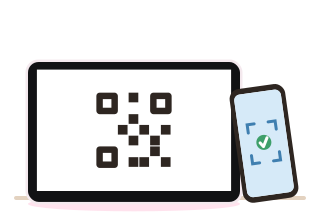
Scan the code
Point your phone camera at the frame.
 2
Add photos
They appear a moment later.
 3
Invite the family
Share a link so they can add photos and messages too.
For carers
Made with carers in mind.
- Medication remindersSchedule them, and the frame glows orange so they’re noticed.
- Low effort for youSet it up once. Change it from your phone when you need to.
- Made for dementia careCalm, clear and nothing to work out. Made for older people.

How it’s different
Easy for them.Easy for you.
- Quick setup in a few minutes
- Update it from anywhere
- Simple frame, plug it in and it runs
Pricing
One price. No subscription.Less than half the price of similar devices.
The Frame
$299
One-off. No subscription, no ongoing fees.
- 10.1" photo frame – with stand and power cable
- Remote control – change anything from your phone, from anywhere
- Family sharing – anyone with your link can add photos
- Reminders – on screen at the times you choose
- OK button – see when they’ve read your message
- Clock and weather – plus a daily Bible verse if you like
- Quick setup – scan the code with your phone
- Updates and support – always included
Christmas special: $220 with free shipping. Pre-order by Monday 14 December and it arrives before Christmas.
Pre-orderBuying for a nursing home, aged care facility or other organisation?
Bulk pricing and tailored setup options are available.
Prices in AUD, including GST. Similar devices cost $649 or more up front.
Questions
Common questions.
Is it suitable for someone living with dementia?
Yes, that’s who we made it for. There are no buttons, menus or apps. It shows family photos, the time and your messages in large, clear text, and turns itself on and off each day.
Does my loved one need to do anything?
No. The frame stays plugged in and turns itself on in the morning and off at night. When a message arrives they can tap OK, but they don’t have to.
How much does it cost?
$299, one-off. Remote control, family sharing and updates are all included. There’s no subscription or ongoing fee.
How is it different from a tablet or smart speaker?
Those are made for people who use them. Family Frame asks nothing of the person it’s for. There are no passwords or voice commands, and the family does everything from their phones.
What do I need?
The frame, Wi-Fi where it lives, and your phone. There’s no app to install.
I live far away. Who sets it up?
You add photos and messages from home. Someone with the frame plugs it in and scans the code, or reads it out to you.
Who can add photos and videos?
Anyone you send a photo link to. No sign-up needed, and you can switch the link off any time.
Can I set reminders for medication or visits?
Yes. Pick a time and it shows on screen, and the frame can glow orange so it’s noticed. You’ll see when they tap OK.
Does it work in a nursing home or aged care?
Yes, as long as there’s Wi-Fi. Staff don’t need to do anything once it’s set up. For several frames, ask us about bulk orders.
How long until my frame arrives?
Pre-order by Monday 14 December and it arrives before Christmas, or we refund you in full.
Is it a medical device?
No. Reminders are a helpful nudge, not a replacement for care or medication management.
Get one for Nanna.
Christmas special: $220 (usually $299) with free shipping, when you order by Monday 14 December.